
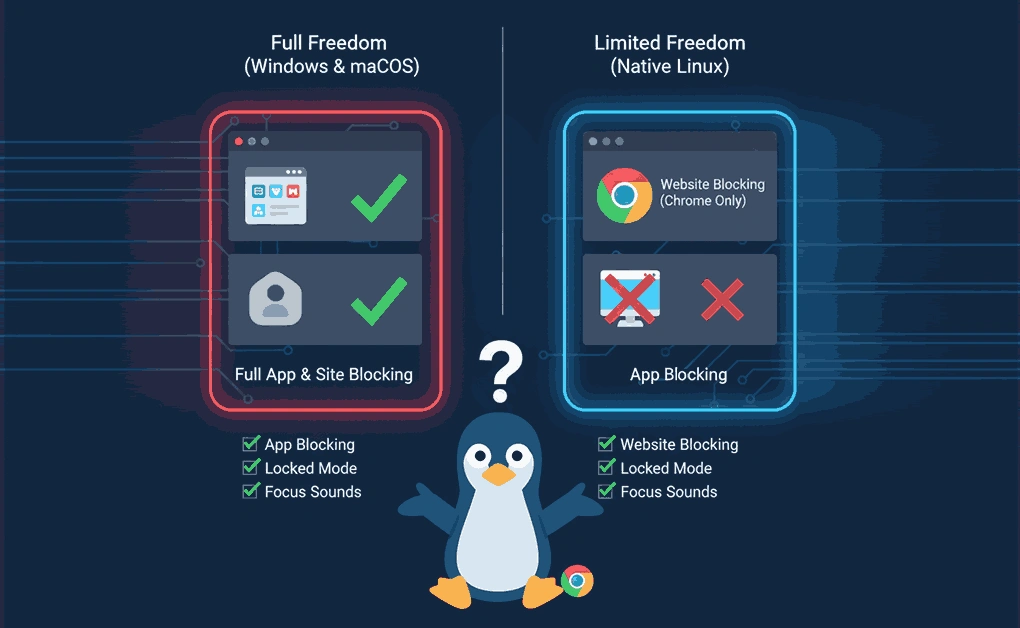
Yes, Freedom works on Linux through a Chrome browser extension that blocks distracting websites. Unlike the Mac or Windows versions, Linux users cannot block desktop apps, only websites within the Chrome browser. Sessions also sync across all devices on your account.
Key Takeaways
- Freedom runs on Linux only through the Chrome extension: There is no native Linux app, so blocking is limited to websites inside Chrome.
- App blocking and several desktop features are not available on Linux: Locked Mode, website exceptions, Focus Sounds, and app blocking only work on Mac and Windows.
- Sessions sync across all devices on your account: A Freedom session started on Linux can apply at the same time to Mac, Windows, Android, iOS, and ChromeOS devices.
- Pricing is the same across all platforms: Premium costs $39.99 per year, and a free plan with limited features is also available.
- DigitalZen is an option for stronger Linux blocking: It offers native Linux support, both website and app blocking, adaptive locks, and wellness tools that go beyond what Freedom provides on Linux.
Disclaimer: This article was published in November 2025. It reflects the app details available at the time of posting. Notice an error? Let us know and we’ll fix it!
What is Freedom?
Freedom is a focus and productivity app that blocks distracting websites and apps. According to Freedom, the app has over 3 million users, and some report gaining around 2.5 hours of productive time each day.
Freedom’s Core Features
- Block Websites: Block any number of distracting websites, such as Facebook, ESPN, or YouTube.
- Block Apps: Block time-wasting apps, from email to games. (Not available on Linux.)
- Block the Internet: Block the entire internet with a single click. (Not available on Linux.)
- Sync Across Devices: Include several devices in one Freedom session. Freedom supports Mac, Windows, Android, iOS, ChromeOS, and Linux (via Chrome extension).
- Blocklists: Choose from preset lists or create custom blocklists. Website exceptions let you block everything except the sites you need. (Website exceptions are available on Mac and Windows only.)
- Advance Scheduling: Start sessions right away or schedule them ahead of time. You can also set up recurring sessions.
- Locked Mode: Locked Mode prevents you from ending a session early. (Available on Mac and Windows only.)
- Focus Sounds and Pomodoro Mode: Desktop versions include focus sounds and Pomodoro-style timed sessions. (Not available on Linux.)
- Additional Chrome Tools: Freedom also offers optional Chrome extensions called Pause, Limit, and Insight for mindful browsing, time tracking, and focus control.
How Freedom Works on Linux: Browser Extension Only
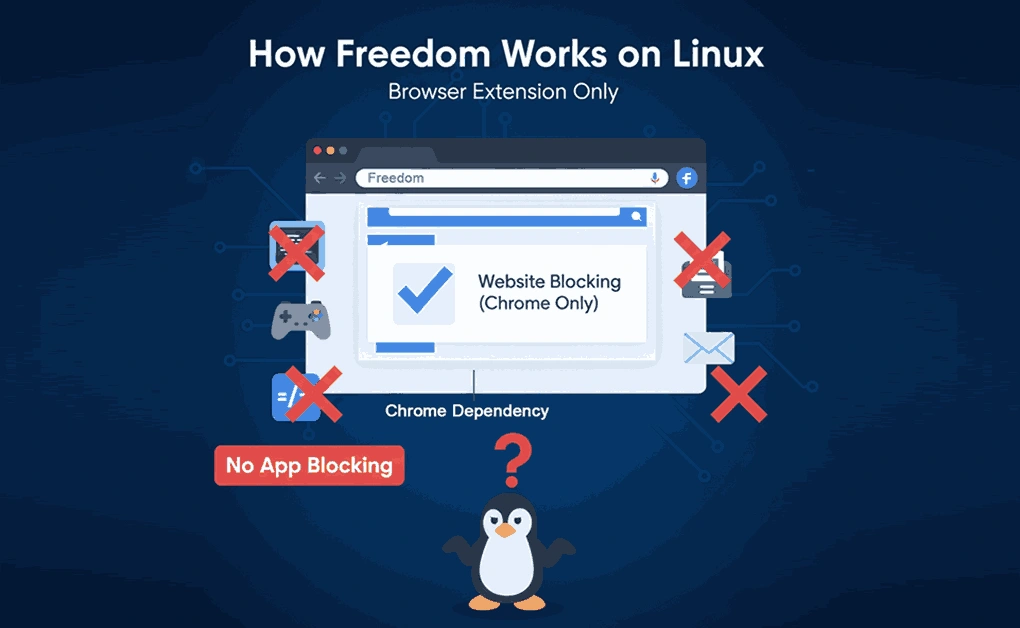
Freedom for Linux works through a Chrome browser extension. The extension provides website blocking on your Linux computer.
What You Can Do on Linux
Here is what Freedom’s Chrome extension lets you do on Linux:
- Block distracting websites in the Chrome browser
- Sync blocking sessions with other devices
- Schedule recurring block sessions
- Use pre-made category filters (Social Media, Gaming, News, TV/Video)
- Create custom blocklists
Account Benefits on Linux
Linux users get the same account access as users on other platforms:
- One subscription covers all platforms: Mac, Windows, Android, iOS, and ChromeOS.
- Linux users can connect through the Chrome browser extension and join the same synced sessions.
- Premium plans include unlimited sessions and devices, with no separate pricing or restrictions for Linux users.
Freedom Limitations on Linux
Freedom’s Linux version is limited compared to its Mac and Windows versions. Here are the main limitations to know:
- Browser Extension Only: Freedom on Linux works only through the Chrome browser extension. It blocks websites in Chrome, but cannot control desktop apps or apply system-level blocking.
- Reduced Feature Set: The Linux version does not include several desktop features found on Mac and Windows. These include app blocking, Locked Mode, website exceptions, Focus Sounds, and other in-app controls. It is designed for basic website blocking and syncing only.
- No Offline or System-Wide Blocking: Since the extension runs inside a browser, Freedom cannot manage offline distractions or block programs outside Chrome. It also requires an active session from the Freedom dashboard to apply blocks.
Freedom’s browser extension can work for basic website blocking on Linux. For users who want system-wide control and more focused tools, other Linux productivity apps like DigitalZen offer full desktop and web blocking, adaptive focus modes, and additional distraction management features.
Freedom Alternatives for Linux Users
If Freedom’s Linux version feels limited, there are other tools that offer stronger focus and distraction-blocking features. Options range from lightweight browser extensions to full desktop blockers that give you more control over your focus setup.
DigitalZen for Linux Website and App Blocking
DigitalZen is one option to consider. It offers native Linux support, both website and app blocking, adaptive locks, and wellness tools for balanced focus sessions.
Other Alternatives
Other alternatives include Chomper, PluckEye, StayFocusd, LeechBlock, SelfControl Linux Port, and Time Companion. Each one offers different levels of control and customization.
For a detailed comparison of these tools, check out our full guide on Top Freedom App Alternatives for Linux.
Should You Use Freedom on Linux?
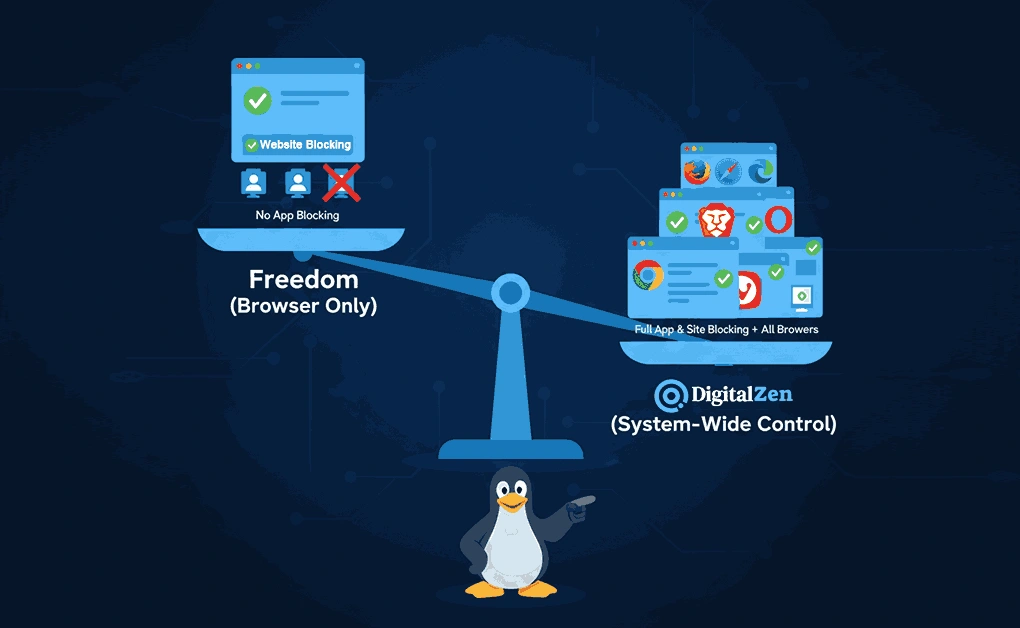
Freedom on Linux works best if your distractions are mostly website-based and you already use Chrome as your main browser. The extension can block sites, sync sessions across your devices, and follow a schedule you set ahead of time. For light website blocking, that may be enough.
If you also need to block desktop apps, work in browsers other than Chrome, or want stronger lock features, the Linux version may fall short. Mac and Windows users get app blocking, Locked Mode, website exceptions, and Focus Sounds, but these are not available on Linux.
A stronger setup on Linux usually includes both website and app blocking, support for any modern browser, and locks that hold up when you try to disable them. DigitalZen offers these features along with adaptive locks, cooldown timers, and Team Focus for group sessions. It may be a better fit if you want full focus control on a Linux desktop.
Frequently Asked Questions
Which Browsers Does Freedom Support on Linux?
Only Google Chrome. Freedom for Linux works through the Chrome browser extension.
What Is the Best Freedom Alternative for Linux?
There are several options depending on what you need. DigitalZen offers native Linux support, both website and app blocking, adaptive locks, and wellness tools. Other alternatives include Chomper, PluckEye, StayFocusd, LeechBlock, SelfControl Linux Port, and Time Companion.
Can Freedom Block Linux Applications?
No. Freedom on Linux only blocks websites through the Chrome browser extension. It cannot block desktop applications.
Is There a Different Price for Linux Users?
No. The same subscription works across all platforms, including Linux. Premium costs $39.99 per year, and a free plan with limited features is also available.
Can You Use Freedom on Linux Without Chrome?
No. Freedom for Linux only runs through the Chrome browser extension. It does not work on Firefox, Edge, or other browsers as a standalone Linux app. Freedom’s support page on ChromeOS and Linux confirms that the Chrome extension is the only way to use Freedom on Linux.
References: