5.0 (107 Ratings)
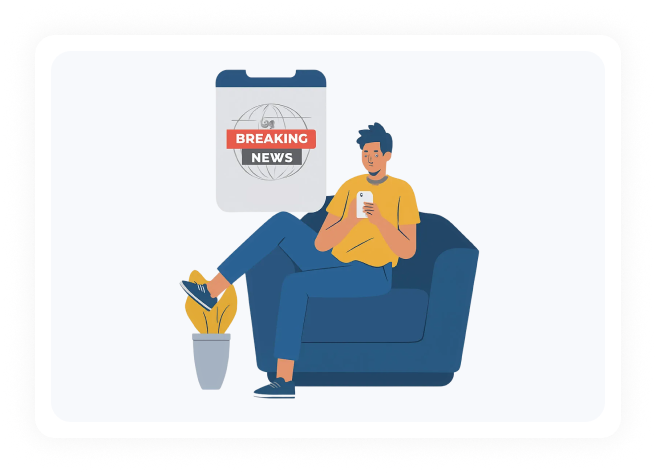
Staying informed can feel responsible, even necessary. But constant updates and breaking headlines often pull attention away more than expected. Small check-ins add up and start interrupting your flow.
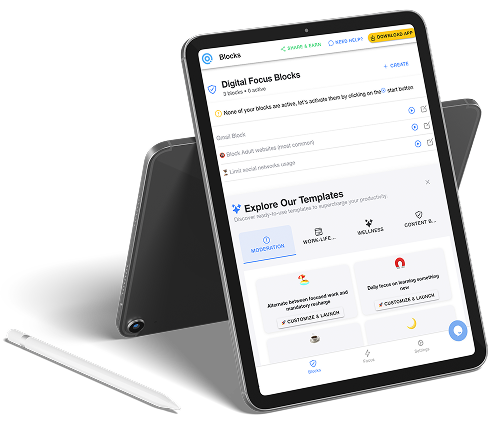
DigitalZen is a news blocker app that helps you set clear boundaries around news access, without rigid blocking, guilt, or feeling cut off.

NEWSHOLICS
A PhD Student's Secret Weapon
I kept getting pulled into distractions whenever I tried to focus on my thesis. DigitalZen helped me lock in and finally make real progress—total game changer for my PhD.
You can schedule times when news sites are unavailable, such as during work sessions or deep focus periods. This removes the urge to refresh headlines while you’re trying to concentrate, without blocking access for the entire day.
Optional lock controls introduce a short delay before limits can be overridden. This pause slows the reflex to check headlines again, giving you a moment to decide whether it’s really needed.
DigitalZen applies limits at the system level, not just inside one browser. Even if you switch browsers or open links from other apps, your news boundaries remain in place.
Limits and schedules can be updated at any time. DigitalZen is designed to adapt as your needs change, whether you want a gentle nudge or firmer boundaries.
Staying informed doesn’t have to mean constant checking or hard shutdowns. DigitalZen helps you shape when news shows up, instead of reacting to updates every time they appear.
Your setup can adjust as your priorities change, without feeling locked into rigid or all-or-nothing limits.
Desktop app for:
MacOs
Windows
Linux
Addons for:
Chrome
Brave

Opera
Vivaldi
Edge
Safari
Firefox
LibreWolf

Chromium or Firefox based


DOWNLOAD NOW
DigitalZen is a versatile productivity tool designed to help various user groups reclaim their focus, manage screen time, and achieve healthier digital habits. Here are some common use cases, categorized for clarity:
Ready to regain control in your digital Life?

You don’t need to cut yourself off completely to reduce constant checking. By setting limits around when news sites are available, you can choose specific times to catch up intentionally instead of refreshing throughout the day. This way, staying informed happens on your terms, not by default.
No. The goal isn’t to block news permanently or all day long. You can allow access during certain windows and limit it during others, such as work hours or late evenings. This keeps news available when it matters while reducing interruptions when focus or rest is more important.
Yes. You can decide exactly which news sites you want to limit and leave others accessible if needed. This makes it easier to control specific habits without overcorrecting or blocking more than necessary.
Absolutely. Limits aren’t locked in forever. You can adjust schedules, time caps, or restrictions as your routine changes, whether you need firmer boundaries for a while or more flexibility later on.