5.0 (107 Ratings)

Need a distraction blocker for studying when tempting tabs take over?

Studying usually starts with good intentions, but open tabs and quick checks can quietly stretch a study session.

DigitalZen is a
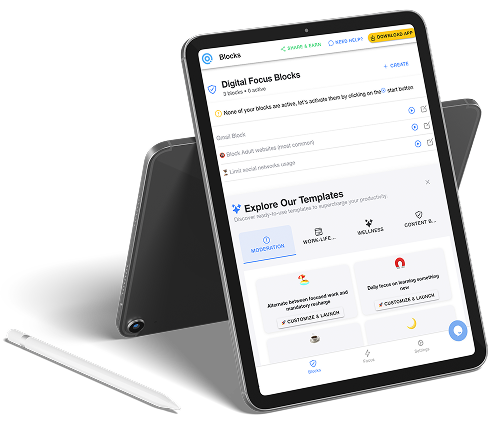
distraction blocker for studying that helps you set clear boundaries during study time by limiting non-study sites and apps, without rigid blocking or pressure to stay perfect.

A secret student subscription available (after the trial period)

Caltech
GA Tech
Logo
Logo
UTN
Logo
Logo
RWTH
USask
Caltech
GA Tech
Logo
Logo
UTN
Logo
Logo
RWTH
USask

STUDENTS

What changes when study time stops competing with everything else

A PhD Student's Secret Weapon

I kept getting pulled into distractions whenever I tried to focus on my thesis. DigitalZen helped me lock in and finally make real progress—total game changer for my PhD.

User
  • You stay with one task longer instead of bouncing between tabs and apps
  • Breaks happen at natural moments, not after getting pulled into something unrelated
  • Study time feels easier to begin because fewer choices compete for attention
  • You end sessions with a clearer sense of progress rather than lost time

How DigitalZen helps you stay with a study session

Keeps your study session focused on what matters

When you start studying, only the sites and apps related to your work stay accessible. This reduces casual switching and helps your attention settle on the task you planned to work on.

Creates clear boundaries without shutting everything down

Non-study apps don’t disappear forever; they’re just paused during study time. This makes it easier to stay engaged without feeling cut off or restricted.

 Limits temptations instead of forcing decisions

Optional limits on high-distraction apps reduce the frequency of “just one more check” moments. Fewer decisions during a study session means fewer chances to drift.

Let’s you adjust as your study needs change

Study sessions can be short or long, strict or light, depending on what you’re working on. This flexibility helps your setup match the type of studying you’re doing that day.

A more flexible way to support study time

Studying doesn’t need to feel like a constant test of discipline. Distractions are part of everyday digital life, especially for students, and managing them works better when the approach adapts to real study habits instead of demanding perfection.

DigitalZen is designed to fit around how study time actually unfolds. It encourages lighter control when you need flexibility and firmer limits when focus matters more, without turning studying into an all-or-nothing experience or making you feel restricted.

Desktop app for:

MacOs

Windows

Linux

Addons for:

Chrome

Brave

Opera

Vivaldi

Edge

Safari

Firefox

LibreWolf

Chromium or Firefox based

DOWNLOAD NOW

Enter Your Zen Mode

DigitalZen is a versatile productivity tool designed to help various user groups reclaim their focus, manage screen time, and achieve healthier digital habits.
Here are some common use cases, categorized for clarity:

Ready to regain control in your digital Life?

Distractions showing up beyond study time?

Frequently asked questions

Q: What’s the best way to stop checking social media during study time?

The easiest way to stop checking social media while studying is to reduce access during the session itself. When social apps aren’t immediately available, the urge to check them tends to pass more quickly.

Instead of relying on reminders or self-restraint, DigitalZen helps by placing gentle limits around social media so study time stays focused without feeling restrictive.


Q: Is it better to block distractions completely or limit them while studying?

That depends on the type of studying you’re doing. Some sessions benefit from stronger limits, while others work better with lighter restrictions.

DigitalZen is designed to support both approaches, letting you adjust how strict or flexible your setup is so it matches the kind of focus you need at that moment.


Q: How do you avoid unlocking distractions once a study session starts?

Distractions often arise in the moment, not as a deliberate choice. Adding a pause before access can make a big difference. DigitalZen introduces small delays and checkpoints before distractions become available again, giving you time to reconsider whether unlocking fits your original study intention.


Q: How do you block out distractions when studying?

Blocking distractions during study time is most effective when decisions are made in advance. Setting up a study session that limits what’s available reduces interruptions and makes it easier to stay with your work once you begin.